
In short
To create a landing page independently, define one target action, study the audience, plan the structure, prepare the offer and evidence, choose a platform and configure responsive design, forms and analytics. After launch, evaluate conversions and lead quality rather than appearance alone.
What is a landing page and when do you need one?
A landing page is a focused page built around a single offer. Instead of explaining every area of a business, it guides the visitor toward an enquiry, purchase, call, registration or another measurable action.
This format works well for a dedicated advertising campaign, product launch, new service, event, course, consultation or early demand test. If a business has many services and plans systematic SEO growth, a single landing page may be only one part of a larger website.
| Objective | Is a landing page suitable? | Primary action |
|---|---|---|
| Test a new offer | Yes | Enquiry or pre-order |
| Advertise one service | Yes | Call or consultation |
| Promote an event | Yes | Registration |
| Present a large service catalogue | Only as a dedicated entry page | Open the relevant category |
Can you create a landing page for free?
A free website builder plan may be sufficient for learning, a prototype or an initial interest test. Before paying for traffic, confirm that the platform supports a custom domain, reliable forms, GA4, advertising pixels, metadata and source attribution.
A free build does not mean a zero-cost launch. Copy, design, mobile adaptation, testing, the domain, analytics and error correction still require resources. If slow loading or a broken form wastes paid traffic, the initial saving quickly disappears.
Steps to Create a Landing Page
Creating a landing page involves the following steps:
Define the Purpose
Before starting on your landing page, you need to clearly define its purpose. It could be to attract potential customers, sell a product or service, gather newsletter subscriptions, or invite participants to an event. The entire creation process will depend on a well-defined purpose.
Select one primary conversion and several supporting events. For a consultation page, the primary goal may be a submitted form, while phone clicks, quiz opens and form starts show where visitors hesitate or abandon the journey.
Understand Your Target Audience
Knowing your target audience is crucial to creating an effective landing page. Determine who your potential customers are, their needs, and their interests. This will help you create content and design that attract the users you want on your site.
Record common objections, selection criteria, awareness level and traffic source. Search visitors may already recognise their need, while social media traffic often requires more context before the offer becomes relevant.
Create the Structure
To fully answer the question of how to create a landing page that really sells, it's essential to mention its structure. Typically, a landing page consists of several key elements:
headline — it should be catchy and attention-grabbing to immediately engage the user;
subheadline — here you can elaborate on your offer;
main offer — explain what exactly you are offering and what benefit it will bring to the user;
call to action (CTA) — a button or form that prompts the user to take the desired action (buy, subscribe, register, etc.);
social proof — customer testimonials, case studies, certificates, etc.;
contact information so that users can reach you if needed.
A complete flow often includes the first screen, the problem, solution, benefits, process, evidence, terms, objection handling, FAQ and a final form. Every section should explain, persuade or move the visitor toward the next step.
Prepare the Content
Content is the foundation of your landing page. Texts should be clear, concise, and persuasive. Use high-quality images that illustrate your offer. If you have a video, it will be a great addition.
A strong offer answers three questions: what the customer gets, who the solution is for and why they should act now. Replace general claims about quality with a concrete result, process, timeframe, case study or verifiable condition.
Choose a Platform
There are many platforms that allow you to create a landing page on your own without programming skills:
• Readymag — an intuitive tool for creating web projects with rich design and animation capabilities;
• Wix — another popular tool with a simple interface and extensive features;
• WordPress — a versatile platform for website development with many plugins for creating landing pages.
| Platform | Suitable for | What to check |
|---|---|---|
| Weblium | Fast small-business launch | Customisation and integration limits |
| Wix | Simple page with a visual editor | Portability and technical SEO controls |
| WordPress | Content, SEO and future growth | Hosting, security and updates |
| Webflow | Flexible custom design | Management complexity and cost |
| Carrd | MVP or quick idea test | Limited functionality |
Design the Page
The design of the landing page should be attractive and user-friendly. Here are some tips to help you achieve the desired goal:
• minimalism — avoid cluttering the page with unnecessary elements;
• contrast — use contrasting colors to highlight important elements;
• ease of reading — choose clear fonts and make the text easy to read.
Visual hierarchy should guide the eye from the headline to the benefit, evidence and CTA. Animation is useful only when it does not delay loading, hide important information or interfere with the target action.
Optimize the Landing Page for Mobile Devices
Most users visit websites from mobile devices, so it's essential that your landing page is adapted to different screen sizes. Check how the page displays on smartphones and tablets, and make sure all elements work correctly.
Test the first screen, readability, button size, phone keyboard, form errors, sticky elements, horizontal scrolling and loading performance over a mobile connection.
Set Up Analytics
To assess the effectiveness of your landing page, you need to set up analytics tools such as Google Analytics. This will allow you to track user behavior, identify the strengths and weaknesses of the page, and make necessary adjustments.
Track CTA views and clicks, form starts and submissions, phone calls, messenger links and the thank-you page. Store UTM parameters, `gclid`, campaign, device and entry page with every lead whenever possible.
Launch
After creating the landing page and completing all the preparatory work, you can move on to the final stage — launching your landing page. Use different channels to attract traffic: contextual advertising, social networks, email marketing, etc. Regularly analyze the results and optimize your page to achieve maximum efficiency.
Creating a landing page on your own is an exciting process that will not only save you money but also provide valuable skills. By following the steps described above, you can create a high-quality website that helps you achieve your goal.
However, if you don't have time or want to get a truly effective landing page, contact the specialists at our studio.
Landing page projects delivered by WebUI Studio
A landing page does not have to remain a single page forever. It can be the first version of a digital platform: a focused way to validate an offer, launch advertising and collect early enquiries. Once the business has search and behavioural data, the same foundation can grow into a multi-page website.

B2B landing page
EURO-MONT — launching one commercial service
The original page focused on the supply and installation of sandwich panels, with a direct hero message, service areas, completed-project imagery, FAQs and a quotation request. As the company expanded its online presence, new content and dedicated pages turned that landing page into the foundation of a broader corporate website.
View the EURO-MONT case
Specialist B2B
TELEKON — explaining a complex B2B service
For a narrow professional audience, a landing page must do more than capture attention. It needs to make a complex service understandable, establish expertise and reduce uncertainty before a consultation. The project began as a focused entry page and later expanded with dedicated areas for additional services and specialist content.
View the TELEKON case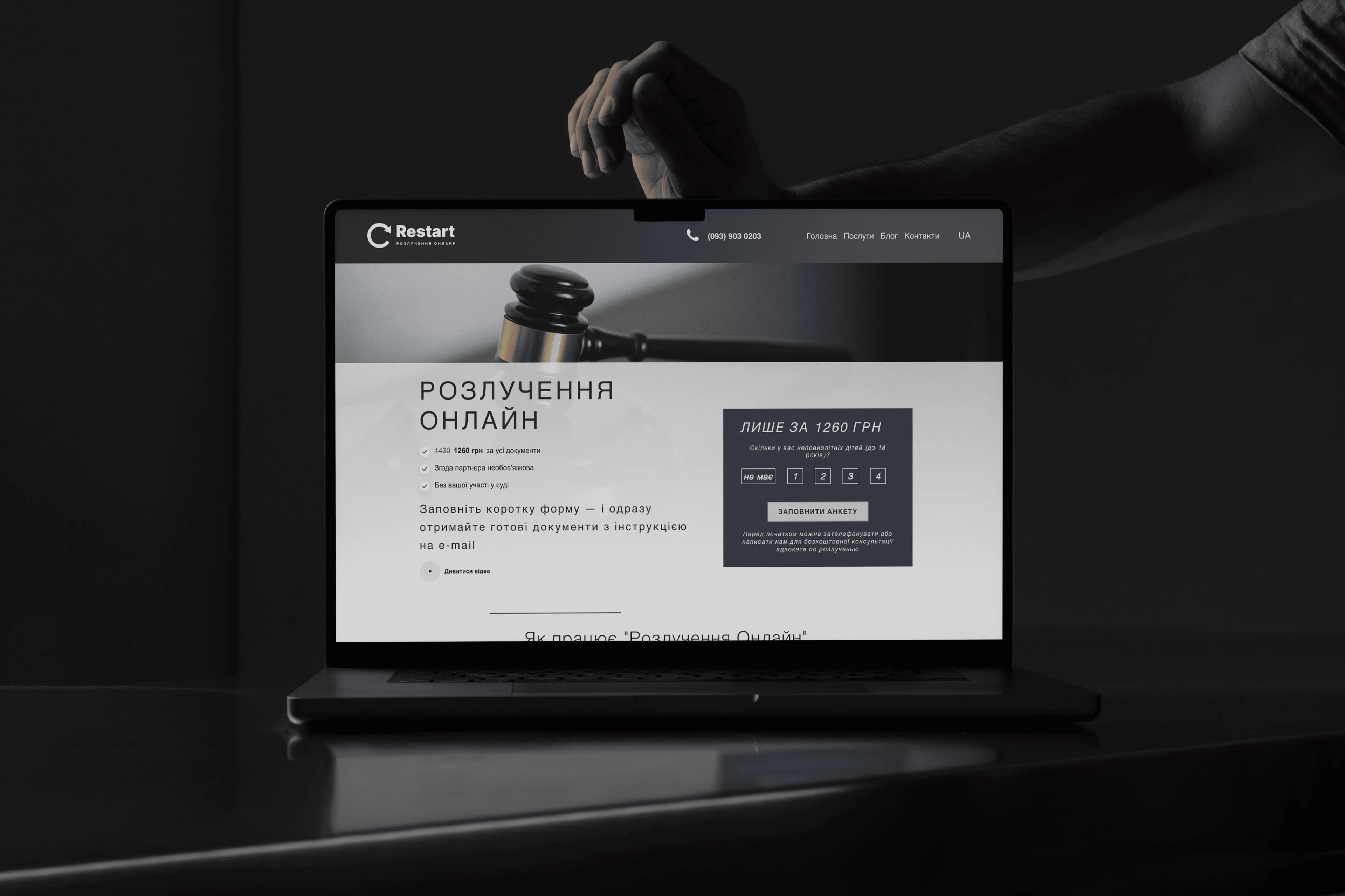
Service landing page
RestartLaw — a landing page that functions as a service
This project combines a legal-service proposition with a guided questionnaire, structured data collection, automated divorce claim generation and a payment journey. It demonstrates that landing-page complexity depends on the user flow and business logic rather than the number of URLs.
View the RestartLaw case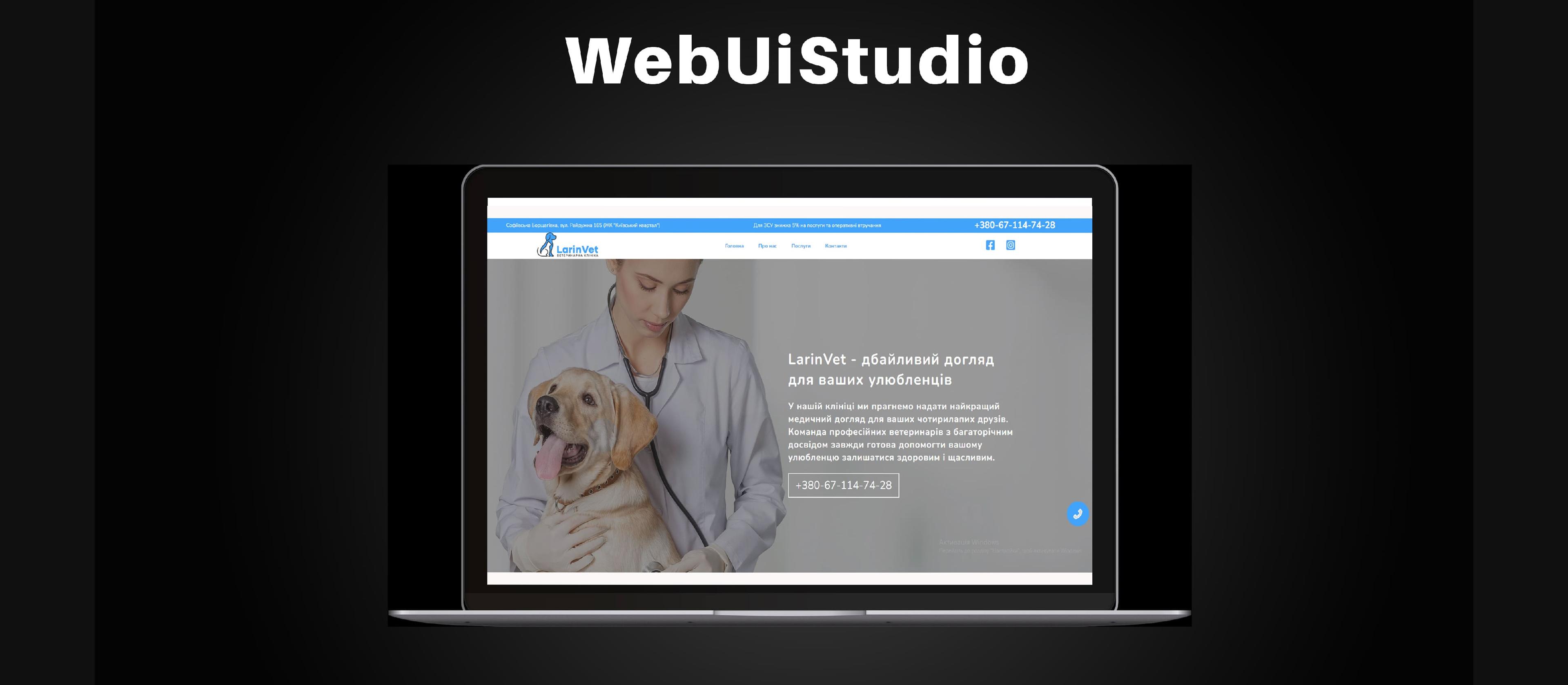
Local service business
A landing page for a veterinary clinic
The first version presented the clinic's core services, built trust and made appointments, calls and directions easy to access on mobile. As demand and content grew, the project gained separate service pages and developed into a complete website without discarding the original foundation.
View the veterinary clinic case| Project | Initial format | Primary conversion | Distinctive feature | Growth path |
|---|---|---|---|---|
| EURO-MONT | B2B landing page | Quotation request | Technical service | Corporate website |
| TELEKON | Specialist B2B landing page | Consultation | Complex professional subject | Expert content and service pages |
| RestartLaw | Service landing page | Questionnaire and payment | Automated document creation | Product features and SEO pages |
| Veterinary clinic | Local landing page | Appointment | Mobile and local journey | Dedicated service pages |
How a landing page grows into a complete website
Growth should be considered while the first page is being designed. New sections, analytics and integrations can then extend a stable foundation instead of forcing the business to rebuild its entire online presence.
- Landing pageOne offer and one primary action
- Early enquiriesValidate demand and the proposition
- AnalyticsLearn from searches and behaviour
- Service pagesGive every direction a relevant entry point
- Case studiesDemonstrate experience and outcomes
- Knowledge contentAnswer informational search demand
- Complete websiteAdd SEO, CRM and automation
A single landing page remains sufficient while the business promotes one clear offer to one audience. Once there are multiple services, locations, customer segments or sustained organic demand, each direction benefits from its own focused page.
A scalable foundation includes clean URLs, manageable metadata, reusable page components, analytics and room for CRM integration. This lets the business start with a compact solution and invest in expansion only when real demand supports it.
Want to validate your landing page idea before launch?
Describe your product or service. We will help define the structure, target action and required integrations.
How to measure landing page performance
The key metric is not page views but the share of visitors who complete the target action. Conversion rate equals conversions divided by visits and multiplied by 100%. Lead cost and actual lead quality must be reviewed separately.
If visitors see but do not click the CTA, review the offer and evidence. If they open but do not submit the form, check the number of fields, errors, trust and mobile usability. If leads are plentiful but poor, compare the ad promise, audience and qualification questions.
Landing page A/B testing
An A/B test compares two versions of one element, such as the headline, hero, CTA, image, form or section order. Change one meaningful variable at a time and select the primary metric before the test begins.
Do not draw conclusions from a handful of visits. Confirm that analytics work identically in both variants, traffic sources are comparable and test URLs do not create indexable duplicates.
Common landing page mistakes
Several unrelated goals on one page
When a page sells several services, sends visitors to a blog, offers a newsletter and asks for a call at the same time, attention is divided. Choose one primary action.
Generic promises without evidence
Words such as “quality”, “fast” and “professional” do not show a meaningful difference. Add cases, results, process, genuine testimonials and concrete conditions.
A long or unreliable form
A first contact often requires only a name and phone number or email. Unnecessary fields, unclear errors and no confirmation after submission reduce conversions.
Running ads before testing analytics
Missing or duplicated conversion data trains advertising algorithms on the wrong signals. Test events, attribution and actual lead delivery before increasing the budget.
Landing page pre-launch checklist
- The first screen explains the offer and its audience.
- The page has one primary target action.
- The CTA states what happens next.
- Forms work on desktop and mobile.
- A clear confirmation appears after submission.
- Phone, messenger and external links open correctly.
- GA4 and advertising platforms receive test events.
- UTM parameters, `gclid` and lead source are stored.
- Images are optimised and the first screen loads quickly.
- Title, description, canonical and indexing are configured.
A practical WebUI Studio perspective
Start with the format that fits the current business decision
When a business is validating one proposition, a landing page is often the right first release. It should still be designed so that service pages, case studies, content and integrations can be added later. EURO-MONT and the veterinary clinic show gradual expansion, while RestartLaw demonstrates how one focused page can operate as a digital service with substantial automation behind it.
When to build it yourself and when to hire a studio
A do-it-yourself launch makes sense for learning, a short MVP or a demand test with minimal functionality. When the page receives paid traffic, integrates with a CRM, tracks attribution, must load quickly or requires regular testing, professional development reduces the risk of wasting the campaign budget.
Compare the total launch and ownership cost, not only the first build price. Our guide explains the main components of the cost of creating a website.
A filled launch brief for a self-built landing page
Consider a fictional installer launching one local service offer. Before selecting a builder, write the target user, service boundary, evidence available and the exact outcome of the form. This brief is a planning example, not an additional WebUI portfolio claim.
The landing page should let a customer establish fit before sharing a phone number. A headline about the service, an honest explanation of the process and verified work examples are more useful than a long list of generic benefits.
| Brief decision | Example answer | Acceptance test |
|---|---|---|
| Offer | One defined installation service | A visitor can identify it from the first screen |
| Coverage | Actual supported area | No unsupported location promise |
| Conversion | A quotation request | Receipt is not called a confirmed booking |
| Proof | Permitted photographs and real scope | Every example has context |
Choose a builder by one complete test journey
Prototype the page, connect a real test destination and submit the form from a mobile device before committing to the platform. Check error states, anti-spam behaviour, custom domain support and whether you can export or maintain the information you need.
A visually complete draft is not ready for advertising when its form silently fails. Test an invalid field, an interrupted request and a double click. Verify the receiving inbox or CRM record rather than relying solely on a green browser message.
A launch evidence pack
- Approved offer and service conditions.
- Working domain and mobile layout.
- A successfully received test enquiry.
- Documented access, ownership and maintenance responsibilities.
Expand only when another user intent needs a page
Start with one clear offer and use real enquiries to identify missing information. A separate service, a detailed catalogue or a different audience can justify new pages. Repeating the same landing page under many slight keyword variants rarely solves the underlying content gap. Keep the existing case links as evidence, not substitute sales guarantees.
If the brief requires custom workflows, compare it with professional website development before committing to a platform.
Frequently asked questions
What is a landing page?
A landing page is a focused web page built around one offer and one primary action, such as an enquiry, purchase, call, registration or booking. Every section should help explain the value and move the visitor toward that action.
Can I create a landing page for free?
Yes. A free website builder plan can be useful for learning or testing an idea. Before running ads, check the restrictions on domains, forms, analytics, SEO, speed and data export because a free plan is often insufficient for a complete business campaign.
Which platform should I use for a landing page?
Weblium, Wix or Carrd can work for a quick test. WordPress is suitable for content and future expansion, Webflow provides greater design flexibility, and custom development is appropriate for unusual logic, integrations and demanding performance requirements.
How is a landing page different from a regular website?
A landing page focuses on one offer and target action, while a multi-page website presents several services, products or information sections. For a dedicated advertising campaign, a landing page often provides a shorter and clearer path to conversion.
How many sections should a landing page have?
There is no fixed number. The page needs enough sections to explain the offer, demonstrate benefits and evidence, answer objections and lead to the target action. A simple offer may need a short flow, while an expensive or complex service requires more detail.
How do I measure landing page conversion?
Track CTA views and clicks, form starts and submissions, phone calls, messenger clicks and thank-you page visits. Conversion rate is the number of target actions divided by the number of visits and multiplied by one hundred.
Can a landing page rank in Google?
Yes. A landing page can receive paid and organic traffic when it has relevant content, correct metadata and headings, fast loading, mobile usability, a clear URL and content that search engines can access and index.
When should I choose professional development?
Professional development is appropriate when the page will receive paid traffic or requires custom design, CRM integration, reliable attribution, complex forms, payments, high performance or regular A/B testing. In these cases, mistakes in a do-it-yourself build may cost more than development.
How can I test a builder before purchasing a plan?
Build one representative page and complete the form journey on mobile. Check receiving records, error handling and the capabilities required by your actual brief.
What should a successful form message say?
What was received and what happens next. It should not claim a reserved appointment or completed purchase unless that action has genuinely occurred.
When should a landing page grow into a larger website?
When users need genuinely distinct services, catalogue decisions or supporting information. Create pages for those needs rather than duplicate versions of the same pitch.
Comments 0
There are no published comments yet. Be the first to contribute.